Flutter seat picker & seating plan editor
Build the room. Pick the seat. Try venue_seat_picker, a seating-plan editor, viewer and interactive seat picker for Flutter and the web.
Arrange tables and chairs, shape curved rows, or start with a ready-made venue. Use the same portable plan in your editor and customer booking interface.
No sign-in required. The demo uses sample data and does not create reservations or payments. The editor demo currently opens in Czech.
What you can try
- Design a seating plan: place tables, chairs, curved rows, standing areas and custom furniture.
- Edit an entire venue: drag and drop, copy objects, select groups, change styles and undo changes.
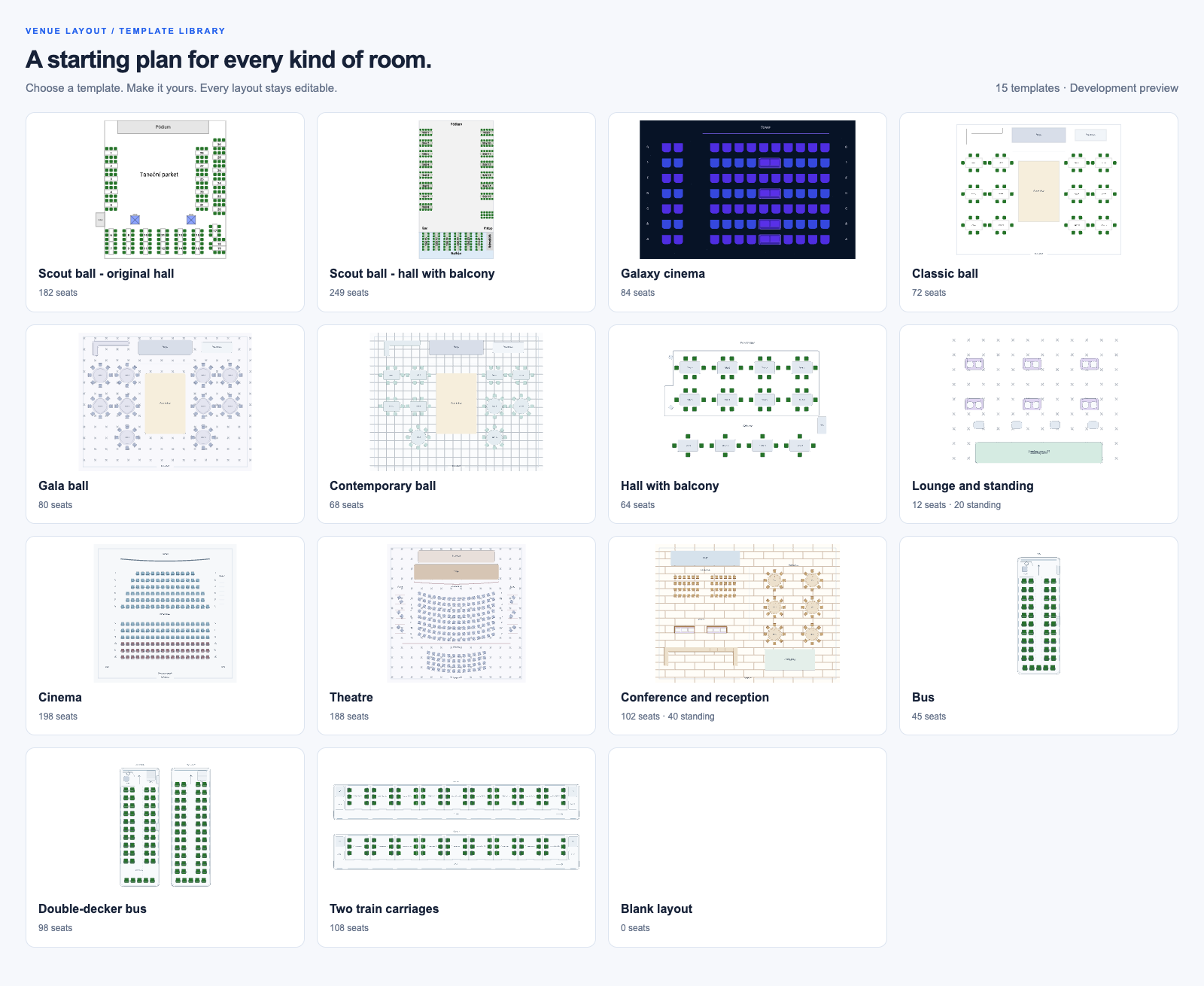
- Explore templates: halls, theatres, conferences, lounges, buses and train carriages.
- Preview seat selection: zoom into the plan and try the customer picker in Flutter or JavaScript.
- Bring your own application: portable JSON layouts, themes and host-supplied availability and prices.
The package supplies the plan and selection interface. Your application manages reservation locks, live availability, orders and payments.
Try the demo
- Open the editor and choose a venue template.
- Move a table, adjust its chairs or add a row of seats.
- Switch to preview to explore the seating plan as a guest.
For integration examples and the API reference, visit venue_seat_picker on pub.dev or read the project documentation.
flutter pub add venue_seat_pickerFor a JavaScript website, see @festapp/venue-layout on npm.